PD Suite manual
Getting started
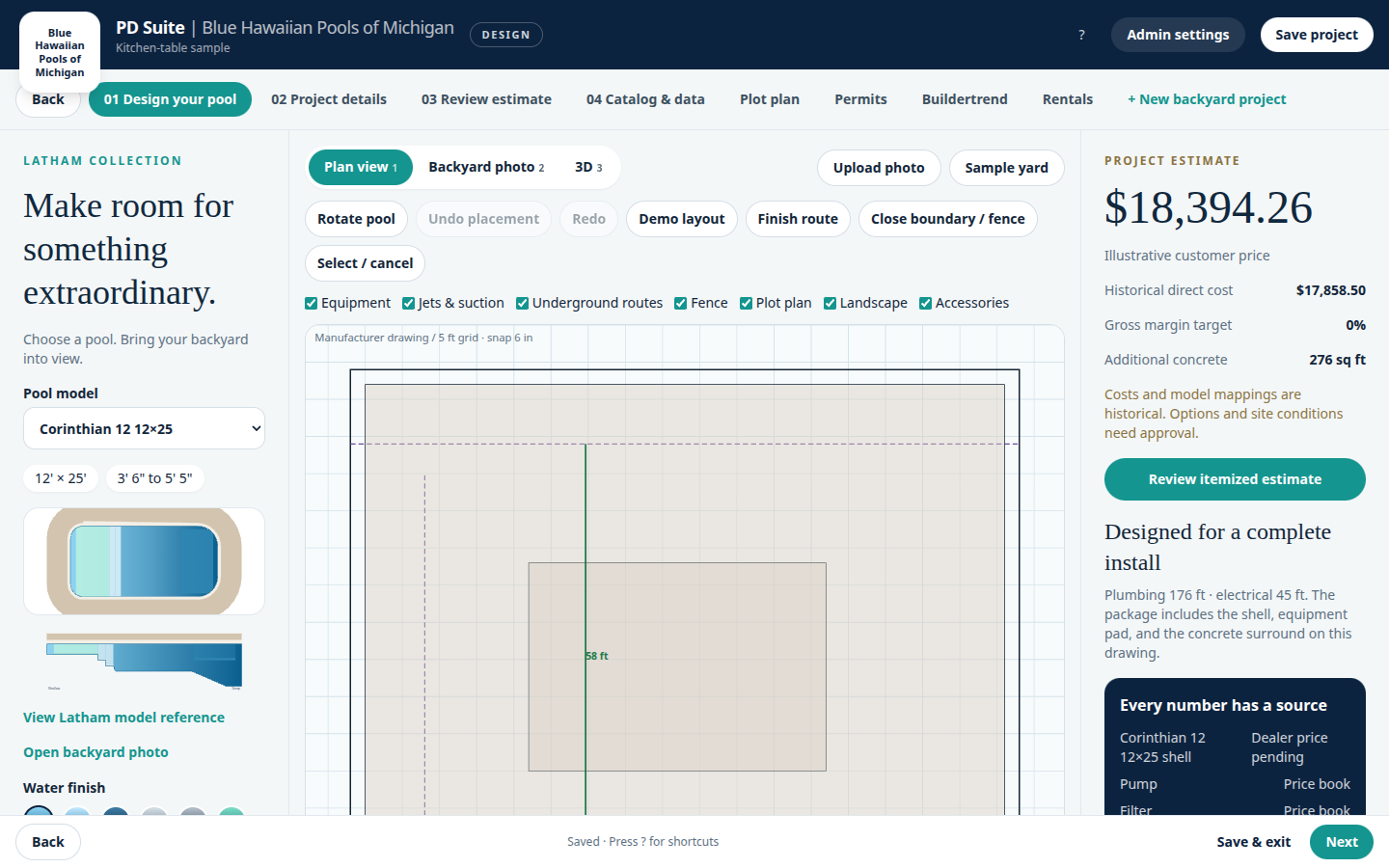
PD Suite is the kitchen-table studio. A salesperson opens a backyard project, places a colorized shell, prices it, and prints a permit sheet from the same drawing.
Sign in at your company address with the email and password a company admin created. The seeded demo company uses the accounts in the repository README.
- Open the studio and sign in with the email and password your company admin created.
- From Projects, open a backyard or choose New backyard project.
- Work the tabs in this order. Back and Next sit on every screen. Save project writes the design. Save & exit returns to Projects and warns if something is unsaved.
- Design your pool — model, finish, plan, photo, and 3D.
- Project details — customer, address, and permit cost.
- Review estimate — margin, commission, and the proposal.
- Catalog & data — costs and the company logo.
- Plot plan — the measured site and setbacks.
- Permits — the printable packet.
- Buildertrend — the job handoff preview.
- Rentals — installation equipment.
Where this manual is hosted
This folder is a static site. Serve it at documentation.pooldesignersuite.com and docs.pooldesignersuite.com. Both hostnames should point at the same docs-site directory.